Administrative Functions / Warehouse Status
Note
The Warehouse Status screen is for information only - no changes can be made.
The Warehouse Status screen gives the System Administrator vital statistics about disk space usage and how documents are spread out over the drives in the warehouse.
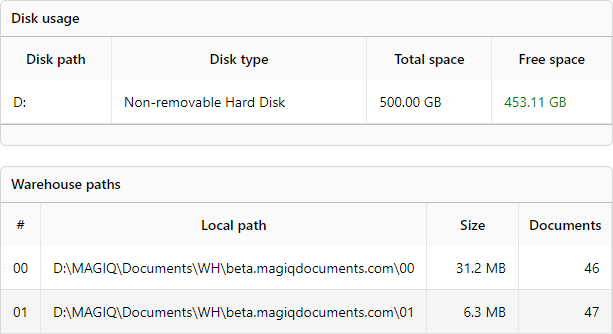
Disk Usage - Provides information about the physical drives participating in the warehouse. The System Administrator should check the disk space usage regularly and make sure that the physical drive has enough capacity.
Warehouse Paths - Provides information about the warehouse paths and the amount of disk space used by each path.
To access the warehouse status
- Navigate to the MAGIQ Documents Control Panel
- Click Warehouse Status