Folders / Folder Statistics
Folder Statistics provide valuable statistical information about folders and documents contained within folders.
To view the Folder Statistics:
- Click Action menu > Properties.
- Select Statistics in the side menu.
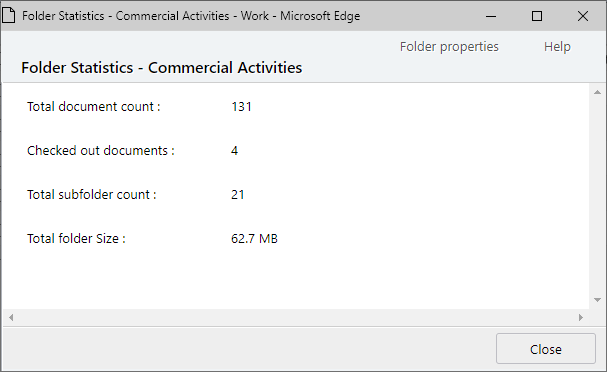
This will display a window with the following information:
- Total document count
- Checked out document count
- Total subfolder count
- Total folder size (including versions)