Folders / Viewing Folders
To view the contents of a folder
-
Click on the folder.
MAGIQ Documents will display the folder's contents (which may include documents, sub-folders, URLs, and shortcuts) in the documents panel located on the right-hand side of your screen.
Viewing Folder Information
-
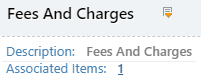
From the parent folder, make sure "details" view visible.
-
Click
 to display/hide the folder description and associated items link.
 -
If
does not exist next to a Folder name, the folder does not have a description or any associations.