Document/task pane
Displays a list of all documents/tasks assigned to you.
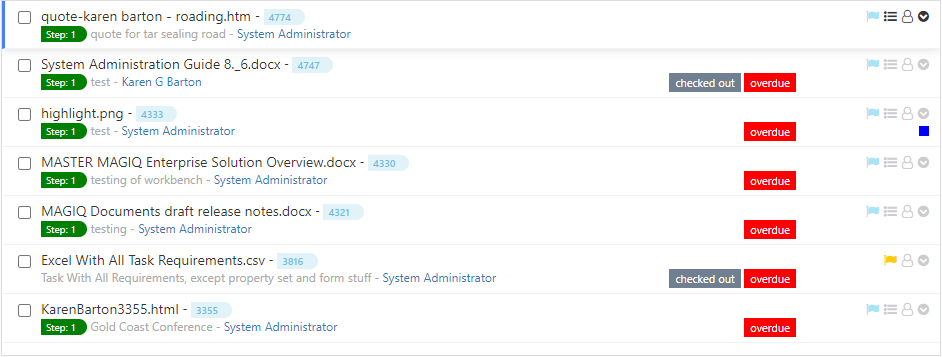
In the example shown, it displays the step number and document description, and who it was assigned by. Depending on the configuration set within the foundation manager, the document description can be replaced with the task instruction.
Labels of:
 indicates that the document has been checked out for editing.
 indicates that the tasks has gone overdue.
Icons of:
 displays the priority as 'normal'.
 hover over displays the workflow name and which step it belongs to.
 hover over displays who assigned the task.
 list of menu options available for the document. For more information refer to manage task menu.
 indicates a project tag has been applied. Colour is determined at the time of creating the project.