Overview
A task can be sent/assigned from any MAGIQ Documents user. You will receive a Task Notification in the form of an email. Once you receive this Task Notification, log in to MAGIQ Documents, and click the Tasks tab.
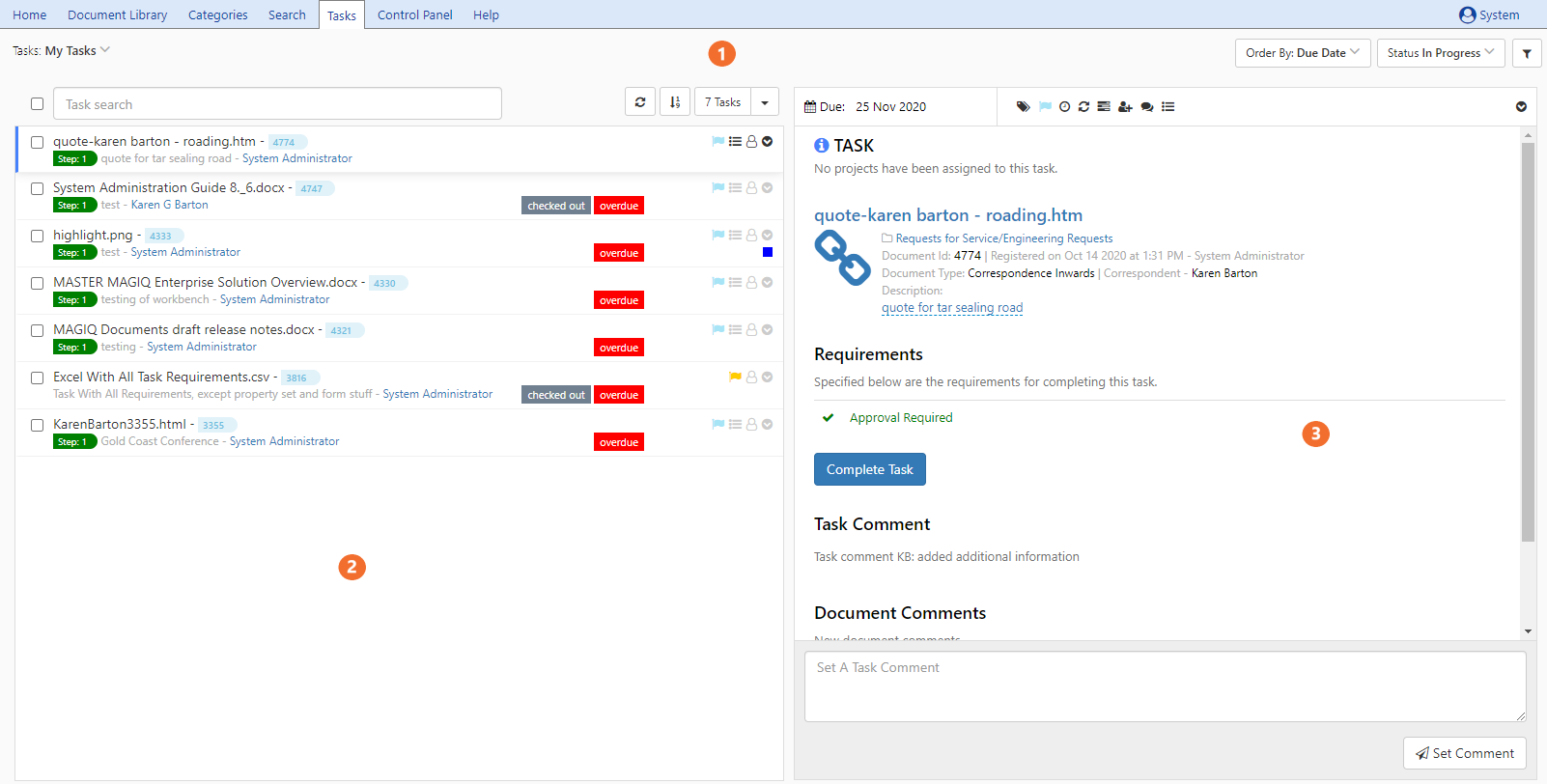

 Document/task pane : Shows all Tasks assigned to you
 Viewing pane : Shows selected Task including all details related to Task/Document
Task Assigning
Tasks can be assigned from within the Document Library.
- Select the blue Action drop down next to the Document you wish to action
- Choose Create Task.
Note
When applying Task requirements; only apply the Edit option when you know the document needs to be edited.
If no Edits are made to the document, or the Document is already in a Workflow - the Task Assignee will be unable to complete the Task!
- Alternatively, choose Send to Workflow