Projects
Projects provide a way for the user to oranise their tasks.
Projects are created and maintained within the in-tray.
Project tags are applied to the task and are only used in the in-tray to help organise your tasks, much like using flags or categories within MS Outlook.
Project tag/category creation
- Click

- Choose Add Project
- Click *** New Project***
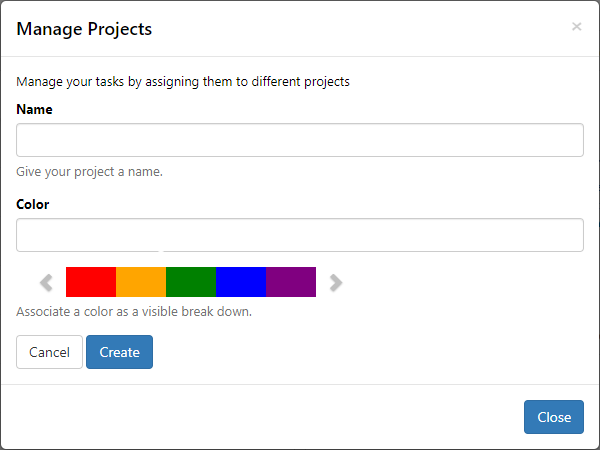
- Enter a project name and select a colour
- Click Create
- Click Close
Assign projects
To a single task
- With a task already selected
- Click
- Select the project The project tag will now display under the task title, as well as under the icons in the document viewing pane.
To multiple tasks
- Tick the boxes next to the document names
- Click Bulk Action
- Choose Assign to Projects The project tag will now display under the task title, as well as under the icons in the document viewing pane.
Remove projects
From a single task
- Select the relevant document
- In the task viewing pane, click the x on the project name
From multiple tasks
- Tick the boxes next to the document names
- Click Bulk Action
- Choose Remove from Projects