Office Connector / Library Tab
Specify the folder where you want the email or document to be registered.
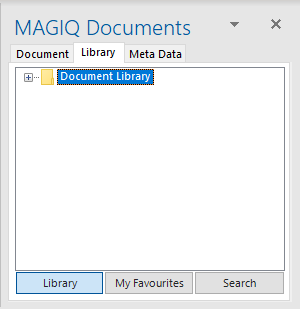
Click + next to the library or folder to navigate. If used previously, the last accessed folder will be highlighted.
 - Returns to the library tab
 - Allows the user to select a folder that is listed within their my favourites area.
 - User is able to search for folders within MAGIQ Documents.
Create New Folder
- Navigate to the parent folder where you wish to create a new folder.
- Right mouse click on the folder,
-
Select Create New Folder.
-
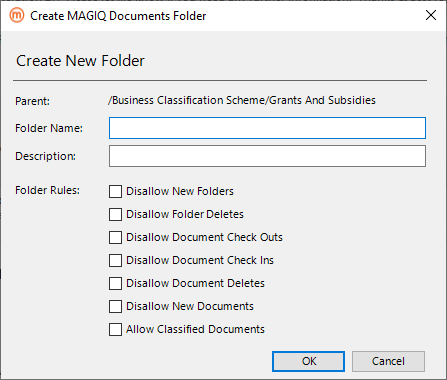
User specifies a folder name, folder description (Optional) and applies folder rules. By default the folder rules are automatically inherited from the current folder.
- Click OK to create.