Word or Excel Connector / Create a New Document From Template
Enables user to create a new document from a document/template located in MAGIQ Documents, and save the newly generated document to MAGIQ Documents.
-
Open word or excel
-
Select Create document from Template from the Document tab of the MAGIQ Documents panel.
-
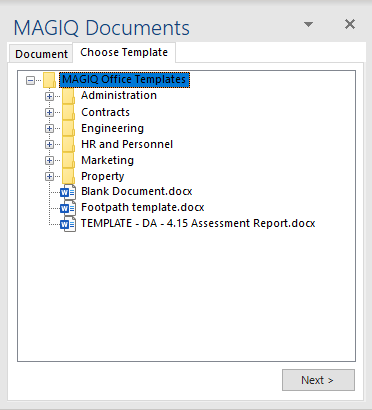
Navigate through the structure to access the document or template.
-
Select the document or template.
-
Click

Document/template or spread sheet/template opens.
The MAGIQ Documents panel displays the Document tab
- Select Save current document to MAGIQ from the Document tab to continue registration process.