Creating Categories (saved search) in MAGIQ Documents
Categories are pre-defined searches. They differ from "Saved Searches" in that, categories automatically execute a saved search with pre-defined values.
Categories appear under the "Categories" Tab.
Note
Search Categories can be added, removed or edited by nominated Administrators and Search and Category Administrators.
To create a category
- Click the Categories tab.
- Click Add New Category.
-
A New category window will display and show all fields from the Advanced Search page
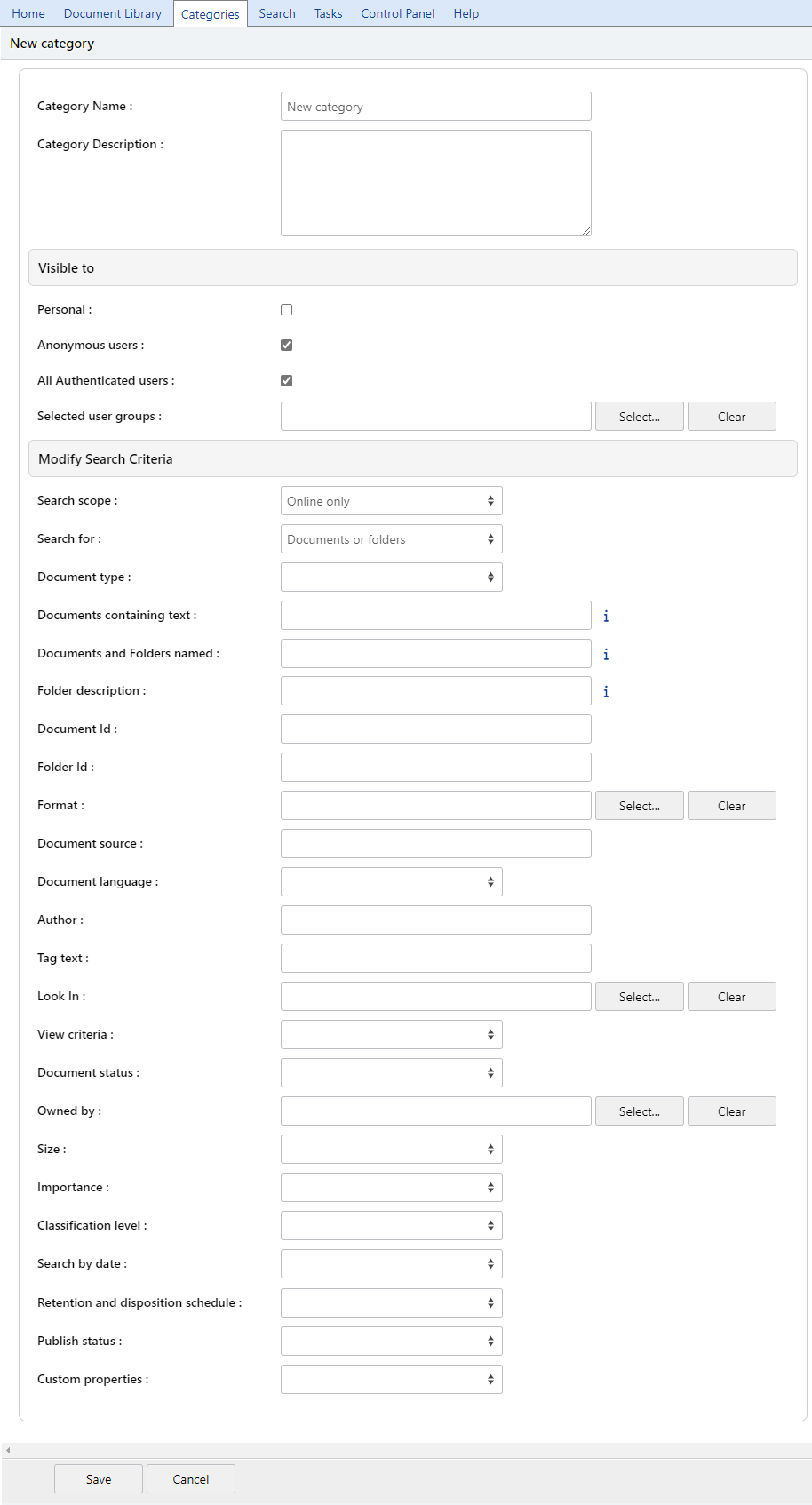
Category name
Enter a name for the category.
Category Description
Enter a description about the category (optional, but recommended).
Visible to
Who is the search page going to be visible to?
- Specify the search criteria. This will vary for each category created.
- Click Save.
When a user clicks on the category entry, the search parameters you specified will be used to fire a new search.
This helps users get search results for complicated search queries without having to specify the search parameters. Users of the categories do not see the search parameters, all they see is the results of the search.
It is perfectly normal to see different search results for the same category because new documents may have been created that fit the pre-defined search parameters or similarly, document that fit the search criteria previously may have been altered or deleted.